File verification, APK for armeabi-v7a, armeabi, x86, mipsSignature matches the developer’s certificate
Unmodified file: same certificate as this app’s versions from the official app store, signed by 3g.cn. A signature shows who signed the file, not how the app behaves.
App permissions
Asks first: 8, Special access: 1, Granted automatically: 22
Hi, There you can download APK file "Launcher Lab" for Android free, apk file version is 2.8.0.2 to download to your android device just click this button. It's easy and warranty. We provide only original apk files. If any of materials on this site violates your rights, report us
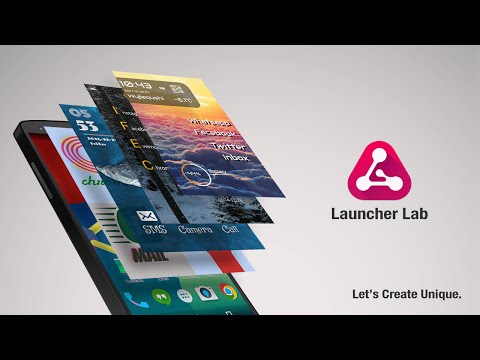
With Launcher Lab, everyone can become a Launcher Inventor.
Launcher Lab provides an ultimate way to customize your Android phone. You can design home screens unlimitedly and easily with various editing elements: wallpaper, widgets, music, text, image, time, weather and etc. You also can apply various creative themes from people around the world in theme store.
Launcher Lab is way more than a highly customizable home screen replacement. Finally you are capable to define your personal style.
Launcher Lab’s potential is only limited by your imagination.
New Functions for V2.0: You are free to edit transition effect, click animation and sound now!
Key Features
★Unlimited Options
Various editing elements and options
★Visualized Interface
Your editing shows in real time
★Simple Operation
User friendly with simple gestures
★Lollipop Style
Ultimate lollipop style experience
★Theme Store
Enjoy creative themes from others
Let’s create unique!
Join us to share your screens and communicate with others.
Facebook: https://www.facebook.com/LauncherLab
Launcher Lab Inventors: https://plus.google.com/communities/107815620095988785954
Any suggestions or questions, feel free to contact us.
Email: launcherlab@gmail.com
Tips:
1. Watch the video below to see how to create unique themes:
https://www.youtube.com/watch?v=Zc3zc8ruGbc
2. When Lock Screen has been activated, Launcher Lab can't be uninstalled as usual.
If you need to uninstall, please go to "System settings" -> "Security" -> "Device administrators" to find “Launcher Lab", then deactivate it.
Explore the version history of Launcher Lab - DIY Themes for Android and see how the app has evolved over time. This section tracks versions added to the apk.cafe catalog, including download size, declared permissions, and Android compatibility. Select a point on a chart to explore historical version data.
9 new Launcher Lab - DIY Themes versions were added to the apk.cafe catalog in 2018. The catalog contains 15 versions dating back to July 2017.
The Launcher Lab - DIY Themes download size for most phones increased from 8.2 MB in version 2.6.1 (2017) to 12.6 MB in version 2.8.0.2, a 54% increase.
Launcher Lab - DIY Themes 2.8.0.2 declares 31 permissions, 3 more than version 2.6.1 from 2017 (28).
Launcher Lab - DIY Themes 2.8.0.2 requires Android 4.0.3 or newer and is built for Android 8.0; version 2.6.1 from 2017 ran on Android 4.0 or newer.
Older versions of Launcher Lab - DIY Themes. The apk.cafe catalog has 15 versions of Launcher Lab - DIY Themes, from 2.6.1 (Jul 2017) to Launcher Lab - DIY Themes 2.8.0.2 (Aug 2, 2018). If the latest version has a bug, changed something you rely on or does not work on your phone, you can install an earlier one from the list of older Launcher Lab - DIY Themes APK versions below.
Version 2.8.0.2 needs Android 4.0.3 or newer. On older phones: Android 4.0 runs up to version 2.6.1 (Jul 2017).
Android does not install an older version over a newer one, so uninstall Launcher Lab - DIY Themes first. This usually deletes the app's data on the phone, so back up anything you need.
Dates show when each version was added to the apk.cafe catalog. Size is the full download for most phones; permissions are for the same build.
A permission shows what the app can access, not that it uses it.
No special hardware required.
No changes since 2.6.4.0.